
Launch Your E-Commerce Store in 7–30 Days
This playbook covers everything from picking your first product to running paid ads. Follow the 12 steps in order, and you'll have a live, selling store in under a month. No experience needed.
Before You Start
Here's what you'll need before diving in:
- •A computer or phone with internet access
- •$50–100 budget (domain ~$15/year, initial ads ~$5–10/day, product samples if applicable)
- •A business idea, interest area, or product you're excited about
- •About 1–2 hours per day for the next week
- •A Stripe account (free to create — we'll set it up in Step 6)
Good news: You don't need inventory yet. Many successful stores start with just sample images and a great idea.
Phase 1
Foundation
Days 1–3
Phase 2
Build
Days 3–5
Phase 3
Launch & Promote
Days 5–7
Phase 4
Scale
Days 14–30
Videos rendering — 4 clips in progress
Your 60-second walkthrough of the Ecommerce Business playbook is being generated. 4 clips stitched into one seamless intro that auto-plays as a single file.
Foundation
Pick your niche, build your brand, and secure your domain.
Find Your Niche & Validate Products
Before you sell anything, you need to know what you're selling and who you're selling to. The best niches sit at the intersection of your interests and real market demand.
Start with what you know
Make a list of topics you care about: fitness, cooking, pets, gaming, fashion, home decor, crafts. You'll have an easier time creating content and understanding your customers when you actually use or care about the products.
Research what's actually selling
- Amazon Best Sellers — Browse top products in categories you're interested in
- TikTok search — Search "TikTok made me buy it" or "#amazonfinds" to see what's trending
- Etsy trending — Great for handmade, vintage, and unique items
- Google Trends — Type in product ideas and see if interest is growing or shrinking
Validate before you commit
Search for your product idea on Google. Are there other people selling it? That's actually good — it means there's demand. Look at their prices, read their reviews, and think about how you could do it differently or better.

Ask me this:
“I want to start an ecommerce store. I'm interested in [your interest area]. Research trending products in this niche and help me pick 3-5 products to start with.”
Create Your Brand Identity
Your brand is more than a logo. It's the feeling people get when they land on your store. A cohesive brand makes you look professional and trustworthy, which directly affects whether someone buys from you.
Name your store
Keep it short (2-3 words max), easy to spell, and easy to remember. Avoid hyphens and numbers. Check if the .com domain is available before falling in love with a name.
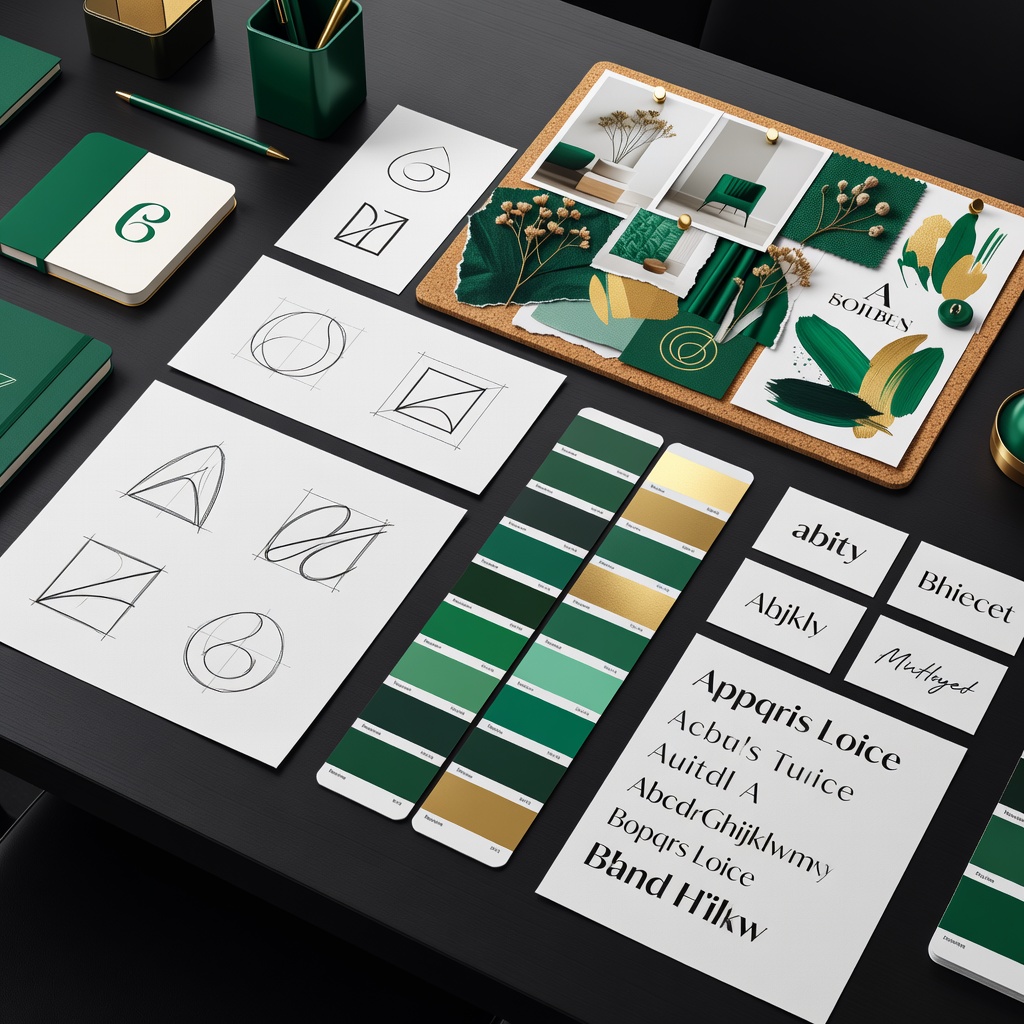
Create your logo
You don't need a designer. AI can generate professional logo options in seconds. Pick one that works at small sizes (it'll appear in browser tabs, social profiles, and email headers).
Choose your colors
Pick 2-3 colors: one main color, one accent, and one neutral. Your store will use these everywhere — buttons, headers, backgrounds. Consistency builds trust.
Ask me this:
“Generate 10 store name ideas for a [niche] business. Keep them short, memorable, and check if they sound good as a domain name.”
Get Your Domain
Your domain is your store's address on the internet. A clean .com domain tells customers you're a real business.
Buy through Buildy (recommended)
Go to the Manage tab at the top of your preview, then click Domains & Email. Search for your desired domain name and purchase it right there. The advantage: your DNS, SSL certificate, and email setup are all handled automatically. No technical configuration needed.
Or connect an existing domain
Already own a domain from GoDaddy, Namecheap, or somewhere else? You can connect it instead. The Manage tab walks you through pointing it to your store.
Tip: If your first choice is taken, try adding "shop" or "store" to the end. "GreenLeafShop.com" works just as well as "GreenLeaf.com".
You'll Know Phase 1 Is Done When:
- □You've picked 3–5 products in a specific niche
- □You've validated people are searching for these products
- □You've chosen a store name and checked domain availability
- □Your brand colors and logo are ready
- □Your domain is purchased or connected
Build
Build your store, add products, and set up payments.
Build Your Store
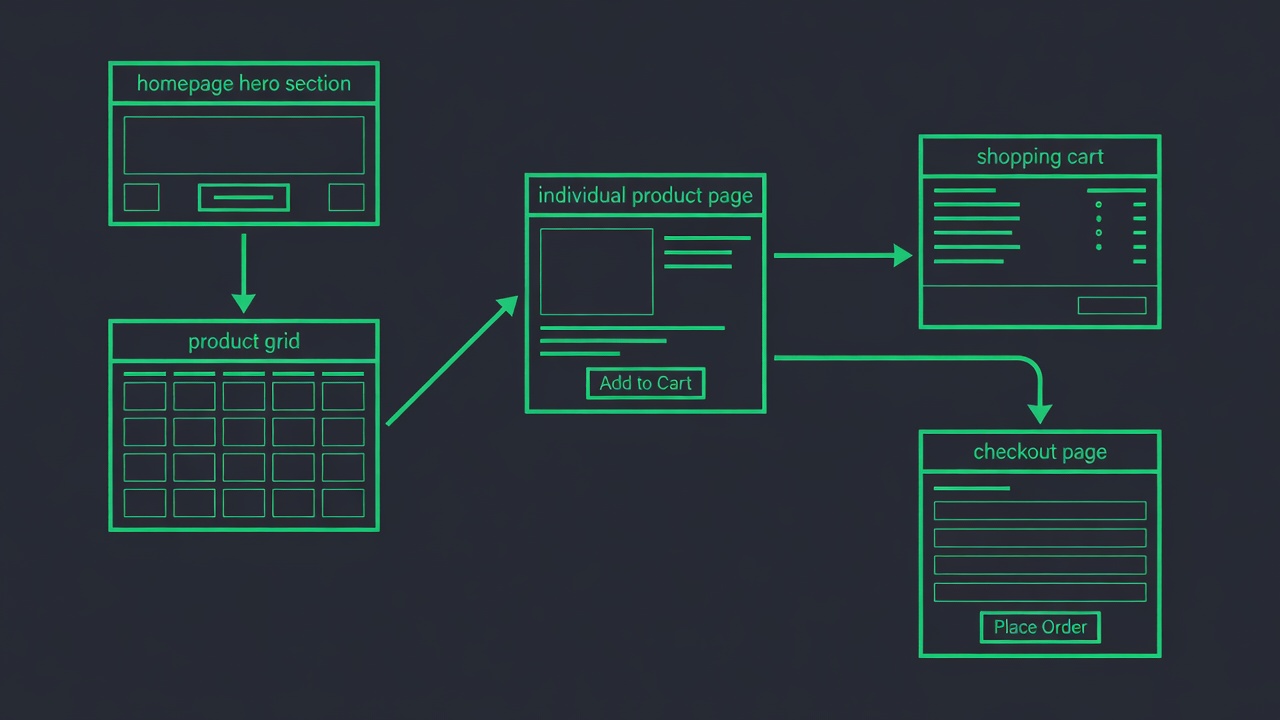
This is where the magic happens. You're going to tell the AI exactly what you want, and it builds your entire store. Pages, layout, product grids, cart, checkout, everything.
Copy and paste this prompt:
Replace the bracketed parts with your specifics. The more detail you give about your products, the better the result.
Review and refine
Once your store is built, click through every page. Check the mobile view too (most of your ad traffic lands on phones). If something doesn't look right, just say so:
- “Change the header color to dark green”
- “Make the product images larger”
- “Add a customer reviews section to the product page”
- “The checkout button is hard to find, make it bigger and brighter”
Ask me this:
“Build me a complete online store for [describe your products]. I need a homepage, shop page, product pages, cart, checkout, about page, and contact page.”
Add Your Products
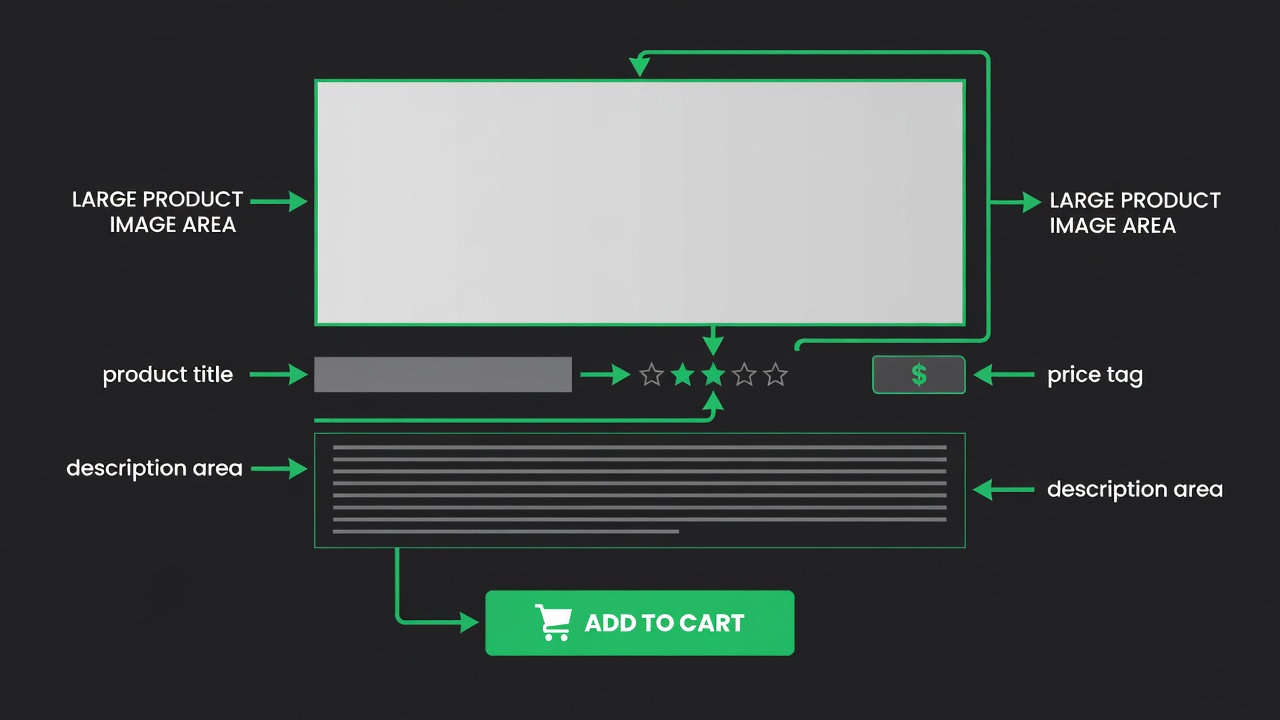
Your products need to look irresistible. Great images and descriptions are the difference between a browse and a buy.
Write descriptions that sell
Focus on benefits, not just features. Instead of “Cotton t-shirt, available in 5 colors,” try “Ultra-soft cotton tee that holds its shape wash after wash. Available in 5 colors that pair with everything in your wardrobe.”
Use sensory words: soft, crisp, warm, smooth, lightweight. Help the customer imagine using the product.
Product images
Every product needs at least 2-3 images: a clean shot on a white or simple background, a lifestyle shot showing the product in use, and a detail shot showing texture or features. If you don't have professional photos yet, AI can generate product images for you.
Pricing strategy
- Charm pricing: $29.99 feels significantly cheaper than $30.00. Always end in .99 or .97.
- Anchoring: Show a “was” price crossed out next to your actual price. $49.99 looks like a deal next to $79.99 struck through.
- Bundle pricing: “Buy 2, save 15%” increases your average order value.
Ask me this:
“Generate professional product photos for [product name]. Show it on a clean background with soft lighting.”
Set Up Stripe Payments
Time to get paid. Stripe handles all the payment processing so you can accept credit cards, Apple Pay, and Google Pay without building anything custom.
Connect your account
Go to the Manage tab at the top of your preview, then click Payments. You'll see an option to connect Stripe. If you already have a Stripe account, log in and authorize the connection. If not, click “Create account” — it takes about 5 minutes and you'll need your bank account details for payouts.
What your customers see
Once connected, your checkout page automatically accepts Visa, Mastercard, American Express, Apple Pay, and Google Pay. The payment form is secure and meets all industry security standards for handling card payments.
Test before you launch
Important: Before telling anyone about your store, buy something from it yourself. Add a product to your cart, go through checkout, and make sure the payment goes through. Send yourself a $1 test purchase. Check that the order confirmation email arrives. Fix anything that feels off.
Note: You need a real bank account connected to Stripe to receive payouts. Stripe deposits your earnings on a rolling basis (usually 2 business days after the charge).
Set Up Shipping & Fulfillment
Your customers need to know how products get to them and how much it costs. Set this up before launch so there are no surprises.
Choose your shipping strategy
- Free shipping on orders over $X: Most common for boosting order value. Set the threshold just above your average product price.
- Flat rate shipping: Charge the same amount regardless of order size. Simple for customers.
- Weight-based shipping: Charges scale with package weight. Best for stores with both light and heavy items.
Where to buy shipping labels
Services like Pirate Ship, Shippo, or your courier directly offer discounted labels. Don't pay retail rates at the post office.
Packaging basics
Use branded tissue paper or a simple thank-you card. Small touches make customers come back. Order free USPS boxes if using Priority Mail.
International shipping
Start domestic only. International adds customs forms, higher costs, and longer delivery times. Expand once you have steady domestic sales.
Pro tip: Set a clear return policy before your first sale. A 30-day return window builds trust and is standard for online stores.
You'll Know Phase 2 Is Done When:
- □Your store is built with all pages working
- □Products are listed with descriptions, prices, and images
- □Stripe is connected and you've tested a purchase
- □Shipping rates and return policy are set up
Get the Ecommerce Launch Checklist
A beautifully formatted printable with all steps, bonus tips, and a 30 day calendar. Delivered instantly. Perfect to stick on your wall and check off as you build.
- All steps in checklist format
- Bonus launch tips not in the guide
- 30-day action calendar
Join 1,000+ entrepreneurs getting weekly tips. No spam, unsubscribe anytime.
Launch & Promote
Set up email automation, promote for free, and create video content.
Email Marketing Automation
Email is your most profitable channel. People who give you their email are 3-5x more likely to buy than social media followers. Set up your email system before you launch, so every visitor who signs up gets nurtured automatically.
Three essential email sequences
1. Welcome Sequence (3 emails over 5 days)
Email 1: Thank them for signing up, deliver any discount code you promised. Email 2 (day 2): Tell your brand story, show your best-selling products. Email 3 (day 5): Share customer reviews and a reminder to shop.
2. Order Confirmation + Shipping Updates
Automatic emails that confirm the order, notify when it ships, and follow up after delivery asking for a review. These reduce “where's my order?” support messages by 80%.
3. Abandoned Cart Reminder
Sent 2 hours after someone adds to cart but doesn't buy. Include the product image and a simple “Complete your order” button. This one email recovers 10-15% of lost sales.
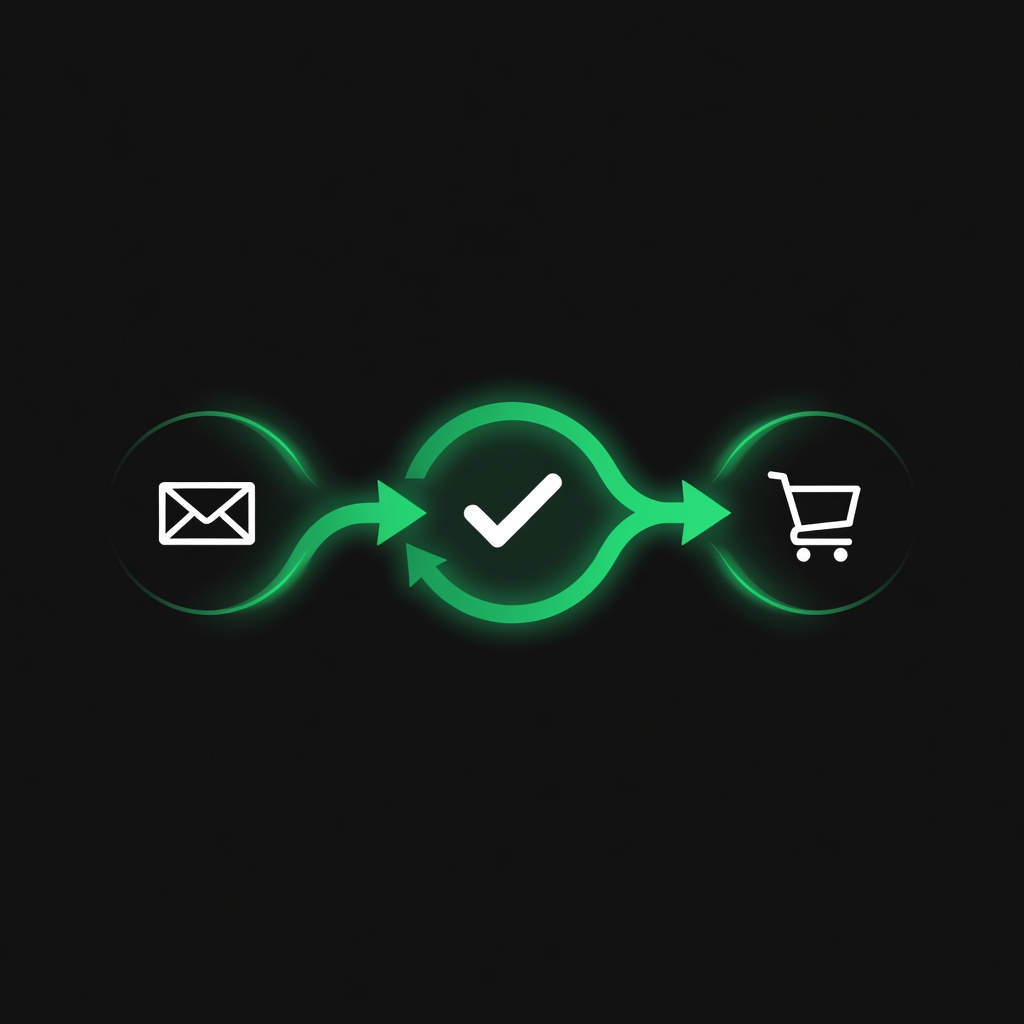
Go to Manage → Email to set up these sequences. You can also turn on AI auto-reply so customer questions get answered instantly, even at 3 AM.
Ask me this:
“Create my welcome email sequence for my [niche] store. Write 3 emails over 5 days: a welcome with discount, a brand story with best sellers, and a social proof email.”
Free Promotion
You don't need ad spend to get your first customers. These free channels can drive real traffic and sales if you're consistent.
SEO: Show up in Google search
Use keywords your customers actually search for in your product titles and descriptions. Instead of “Handmade Ceramic Mug — Blue,” try “Handmade Blue Ceramic Coffee Mug, Perfect Gift for Coffee Lovers.” Think about what someone types into Google when they want your product.
Start a blog
Write helpful articles your target customers would search for. If you sell fitness equipment, write “10 Home Exercises That Don't Require Any Equipment” and link to your products naturally. Each blog post is a new way for people to find your store on Google.
Social media setup
Create accounts on these platforms and connect them in the Manage tab under Marketing & Ads:
TikTok
Behind-the-scenes, product demos, packing orders, “day in the life” content
Product photos, customer reviews, Reels showing products in use
Product pins with direct links to your store. Pins last for months.
Share blog posts, join groups where your customers hang out, run a business page
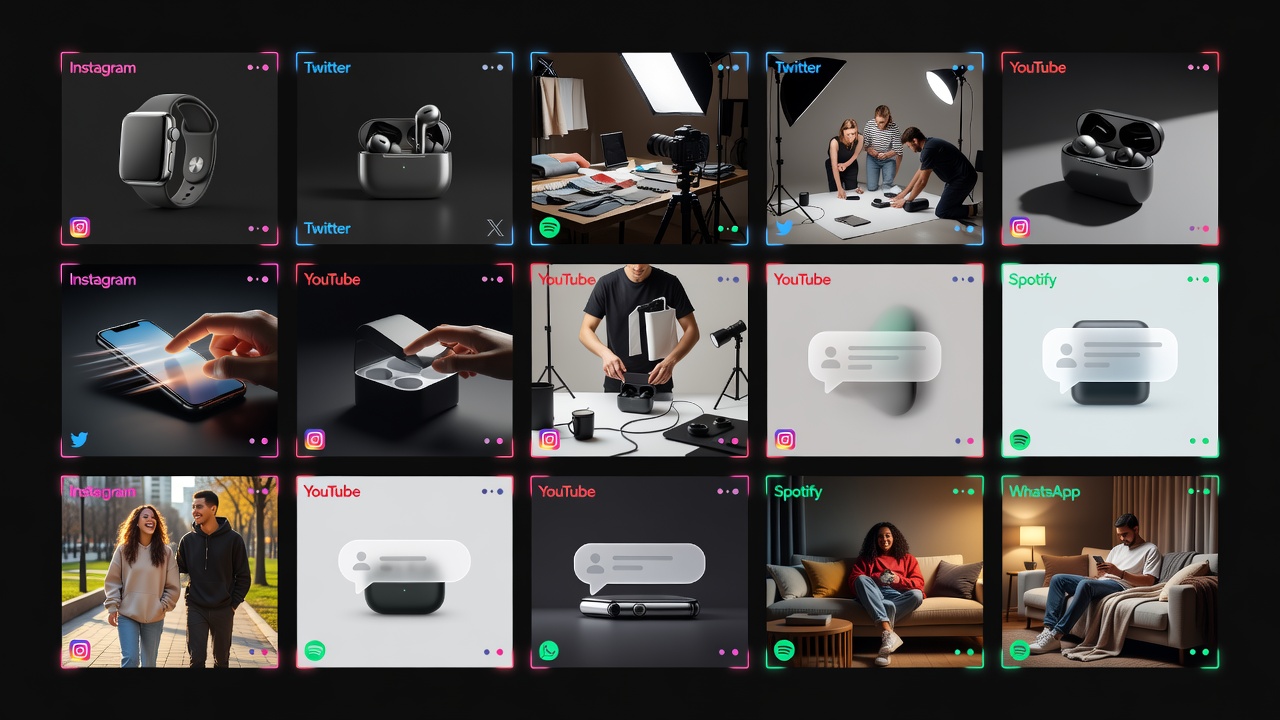
Ask me this:
“Draft my first week of social media posts for my [niche] store. Include posts for TikTok, Instagram, Pinterest, and Facebook.”
Create Video Content
Products shown in video convert 3-5x better than photos alone. You don't need expensive equipment or video editing skills to make content that sells.
How to shoot a product video on your phone
- Lighting: Face a window. Natural light is better than any ring light you'd buy under $50.
- Show it in use: Don't just hold the product. Use it, wear it, demonstrate what it does.
- Keep it short: 15-30 seconds is the sweet spot. Attention spans are real.
- Hook in 2 seconds: Start with the most visually interesting moment. No slow intros.
Editing tools (both free)
CapCut (mobile app)
Import your clips, add text overlays, trending music, and transitions. Export in the right format for TikTok or Instagram Reels. The free version has everything you need.
Canva (free tier)
Create product graphics, social media templates, and simple video ads. Add your logo as a watermark. Great for Pinterest pins and Instagram posts too.
You can also have AI generate short video ads for your products directly. Just describe what you want to show.
Ask me this:
“Create a short product video for [product name]. Show it being used in a lifestyle setting with upbeat energy.”
You'll Know Phase 3 Is Done When:
- □Welcome email sequence is set up and active
- □Abandoned cart email is ready
- □Social media accounts are created and connected
- □Your first week of social posts is drafted
- □You've created at least 2 product videos
Scale
Run paid ads, track results, and grow your revenue.
Set Up Paid Ads
Once your store is converting visitors into buyers (even a few), paid ads let you pour fuel on the fire. Start with one platform, get it working, then expand.
Meta Ads (Facebook + Instagram)
Connect your Meta Ads account in the Manage tab under Marketing & Ads. Meta ads work well for visual products because you can target by interest (people interested in fitness, cooking, fashion, etc.).
- Start with $5-10 per day. Let the ad run for 3-5 days before judging results.
- Use video ads when possible. They get cheaper clicks than static images.
- Target by interest, not just age and location. “People interested in yoga” beats “Women 25-45.”
Google Ads
Create a Google Ads account at ads.google.com, then connect it in the Manage tab under Marketing & Ads. Google ads capture people who are actively searching for what you sell.
- Shopping ads (showing your product image and price in Google results) work best for ecommerce.
- Start with specific product names rather than broad terms. “Organic cotton baby blanket” beats “baby gifts.”
OpenAI Ads (ChatGPT)
This puts your store in front of people actively using ChatGPT to find solutions and products. Available for businesses selling to US customers. Higher intent traffic because people are actively looking for answers.

Ask me this:
“Create my first Meta ad campaign for [product name]. Target people interested in [relevant interest] with a $10 daily budget.”
Ask me this:
“What keywords and hashtags should I target in my Google Ads for [product category]?”
Ask me this:
“Create an OpenAI Ads campaign for [store name] targeting US customers interested in [niche].”
Track & Optimize
What gets measured gets improved. Spend 30 minutes each week looking at your numbers and making small adjustments.
Numbers that matter
Conversion Rate
What percentage of visitors buy something? Ecommerce average is 2-3%. If you're below 1%, your product pages need work.
Cost Per Sale
How much did you spend on ads to get one sale? If you spend $10 on ads and make $30 profit, that's a winning ad. Scale it up.
Traffic Sources
Where are your visitors coming from? Double down on what works. If Pinterest sends buyers but Instagram doesn't, spend more time on Pinterest.
Average Order Value
How much does the average customer spend? Add bundles, upsells, or “you might also like” suggestions to increase this.
When to increase ad spend
If an ad is profitable (you make more than you spend), increase the budget by 20-30% every few days. Don't double it overnight — sudden budget jumps can confuse the algorithm and hurt performance.
A/B testing
Test one thing at a time: different product images, different headlines, different prices. Run each version for at least 3-5 days before deciding. Small improvements compound over time.
Scale Up
You've got a store that's making sales. Now it's time to think bigger.
Add more products
Look at what's selling and add complementary products. If customers buy your yoga mat, they probably want yoga blocks, straps, and towels too. Related products increase your average order value.
Build your email list
Your email list is the one asset no platform can take away from you. Every customer, every subscriber, is a direct line to someone who's shown interest in your brand. Offer a 10-15% discount in exchange for email signups. It pays for itself fast.
Expand to new channels
- TikTok Shop: Let customers buy directly from your TikTok videos
- Etsy or Amazon: List your products on marketplaces for additional traffic
- Affiliate program: Let bloggers and influencers promote your products for a commission. You only pay when they make a sale.
Keep improving
Ask your customers what they want. Read your support messages for patterns. The best product ideas come from the people already buying from you. Every improvement makes your store harder to compete with.
You did it. You went from idea to a live, selling store. Most people never start. You're already ahead. Keep going, keep learning, and keep improving. Your store will get better every week.
You'll Know Phase 4 Is Done When:
- □You've set up at least one paid ad campaign (Meta, Google, or OpenAI)
- □You're tracking key metrics weekly (conversion rate, traffic sources, ad spend ROI)
- □You've made at least one data-driven optimization
- □You've identified your most profitable traffic source
- □You have a plan to scale what's working
🎉 Congratulations! You've completed all four phases. Your store is now live, optimized, and ready to scale. Keep iterating based on your data, and remember: every successful store started exactly where you are now.
If You Get Stuck
Every business hits speed bumps. Here's what to do:
- Store not looking right?
Tell me: "Fix the layout on my store page so it looks clean and professional on mobile"
- Stripe not working?
Go to Manage → Payments and check your connection status. Make sure you've entered your bank details.
- Emails not sending?
Head to Manage → Domains & Email and verify your sending domain is set up.
- Ads not approved?
Meta and Google both have content policies. Avoid making unrealistic claims. I can help rewrite your ad copy.
- Something else?
Just describe what's happening and I'll fix it.
Explore Other Paths
View all 5 →Not the right fit? Check these out:
Not sure which path fits you best?
Take our 60-second discovery quiz and get matched to your ideal business model based on your skills, time, and goals.
Enjoying this playbook? Share it
Help a friend start their business with this guide.
Your Store Is Waiting
Start with Step 1 right now. By this time next week, you could have your first sale. Or explore another path if this one isn't the right fit.
